UNIGINE SDK 2.22 Release
UNIGINE SDK 2.22 is a major update bringing new content creation tools, advanced simulation features, improved rendering, and deeper AI workflows.
Highlights include the new Sequencer, reworked Navigation & Pathfinding, Cesium integration, enhanced sensor simulation, ArduPilot SITL support, and major improvements across animation, rendering, localization, and performance.
New Sequencer & Major Animation System Update
UNIGINE 2.22 introduces Sequencer, a powerful new timeline-based tool for creating cinematics and complex scene animations directly in the Editor. As the successor to Tracker, it brings a faster native C++ runtime, auto-keying, reusable sequences, flexible object binding, and full C++/C# API access.
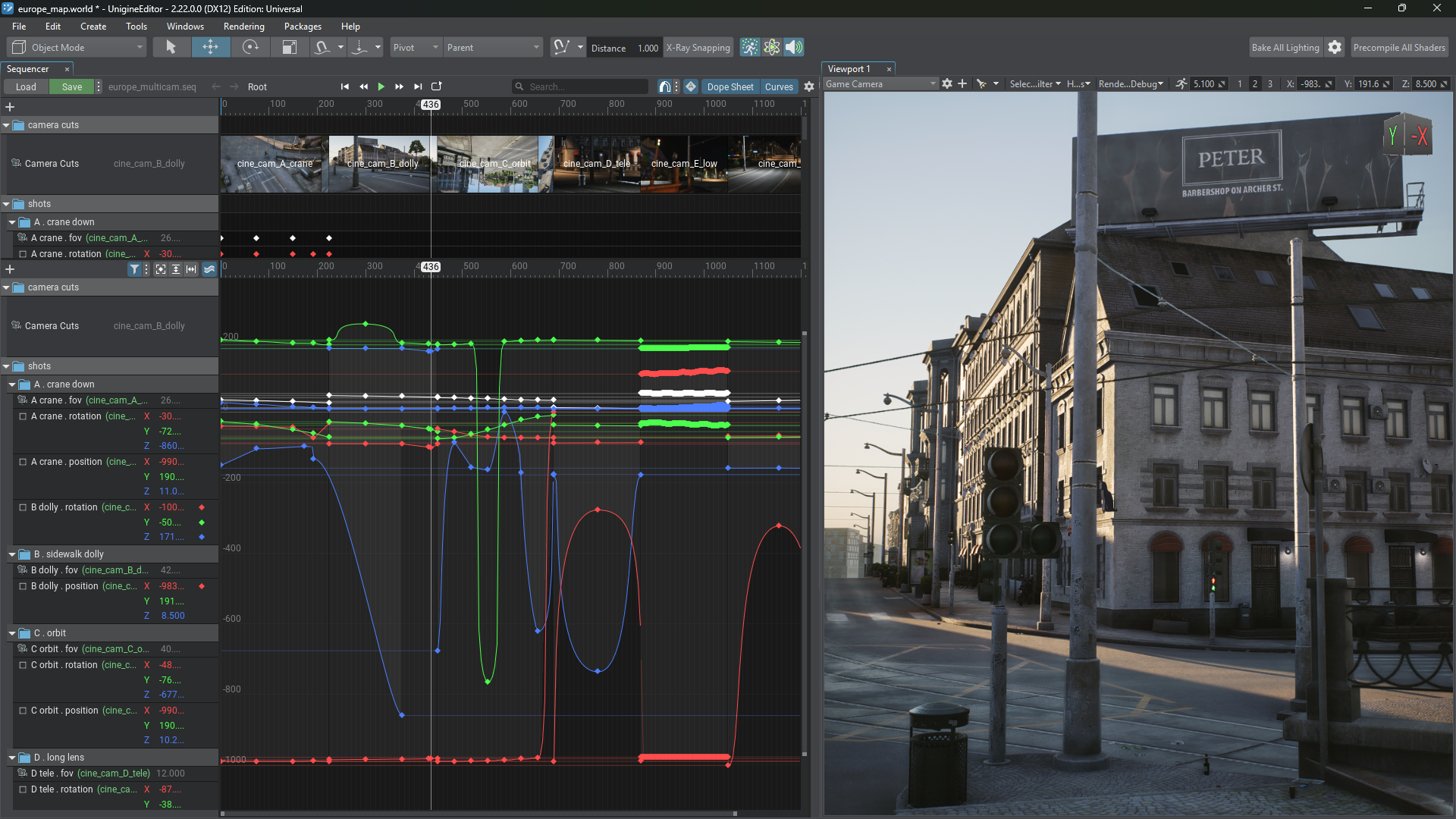
The Animation System has also received a major upgrade with asynchronous animation streaming, improved performance for animation-heavy scenes, and expanded Animation Graph capabilities including IK, Look At, joint constraints, procedural pose control, and improved preview tools.
Together, these improvements provide a much more scalable and efficient workflow for everything from character animation to complex real-time cinematics.
Reworked Navigation & Pathfinding (Experimental)
The Navigation & Pathfinding system has been completely reworked, designed for large, dynamic worlds.
Navigation meshes can now be generated automatically from scene geometry, streamed across open worlds, updated dynamically, and configured with cost-weighted areas so AI agents can prefer roads, avoid hazards, and respect restricted zones.
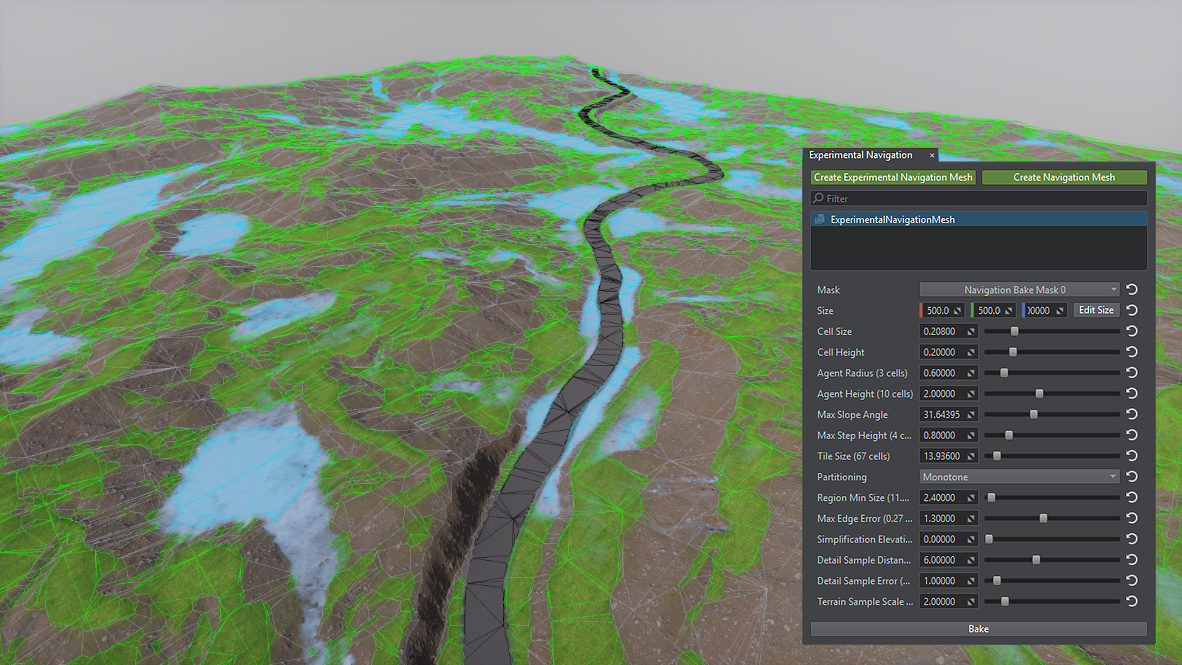
The system also adds multithreaded pathfinding, dynamic obstacles, moving-target corridors, crowd avoidance, runtime navmesh generation, and detailed profiling tools.
Together, these improvements provide a more scalable and flexible foundation for AI navigation in complex simulation and game environments.
Global-Scale Geodata with Cesium Integration
Introducing Cesium integration, giving Sim users immediate access to a global base of streamed geospatial tiles for virtually any location on Earth.
This makes it much easier to quickly prototype geospatial applications, evaluate locations, and build an initial environment without preparing large source datasets upfront. Cesium data can then be seamlessly combined with custom high-resolution terrain, imagery, infrastructure, and other simulation content where greater detail is required.
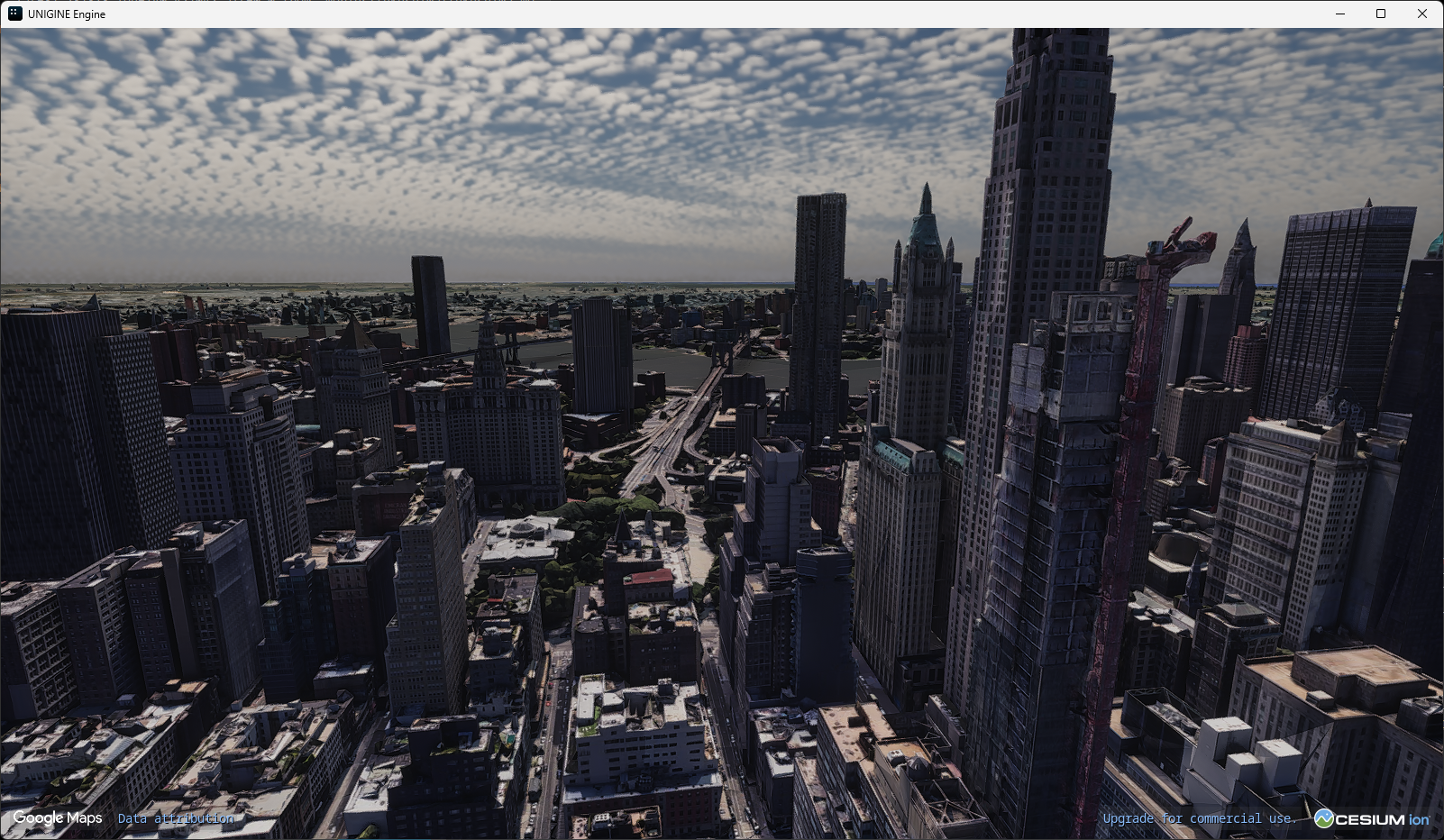
The integration complements UNIGINE’s existing capabilities for handling massive georeferenced datasets, precise positioning over very large distances, and building detailed large-scale simulation environments.
The integration is part of the IG system available in UNIGINE 2 Sim.
Surface ID Buffers
Knowing what a rendered pixel actually represents is essential for simulation, computer vision, CAD, and many gameplay workflows. With the new Surface ID Buffers, every pixel can carry a 32-bit identity that resolves directly to its node, surface, material, instance, and custom metadata.
This makes semantic segmentation, ground-truth generation, sensor post-processing, object highlighting, CAD visualization, and per-surface classification much easier to implement — without manual ID packing, duplicated materials, extra draw calls, or custom hierarchy-processing logic.
Custom parameters can be assigned per surface, material, or cluster instance, providing direct access to application-specific properties such as object classes, reflectivity, emissivity, or other simulation data.
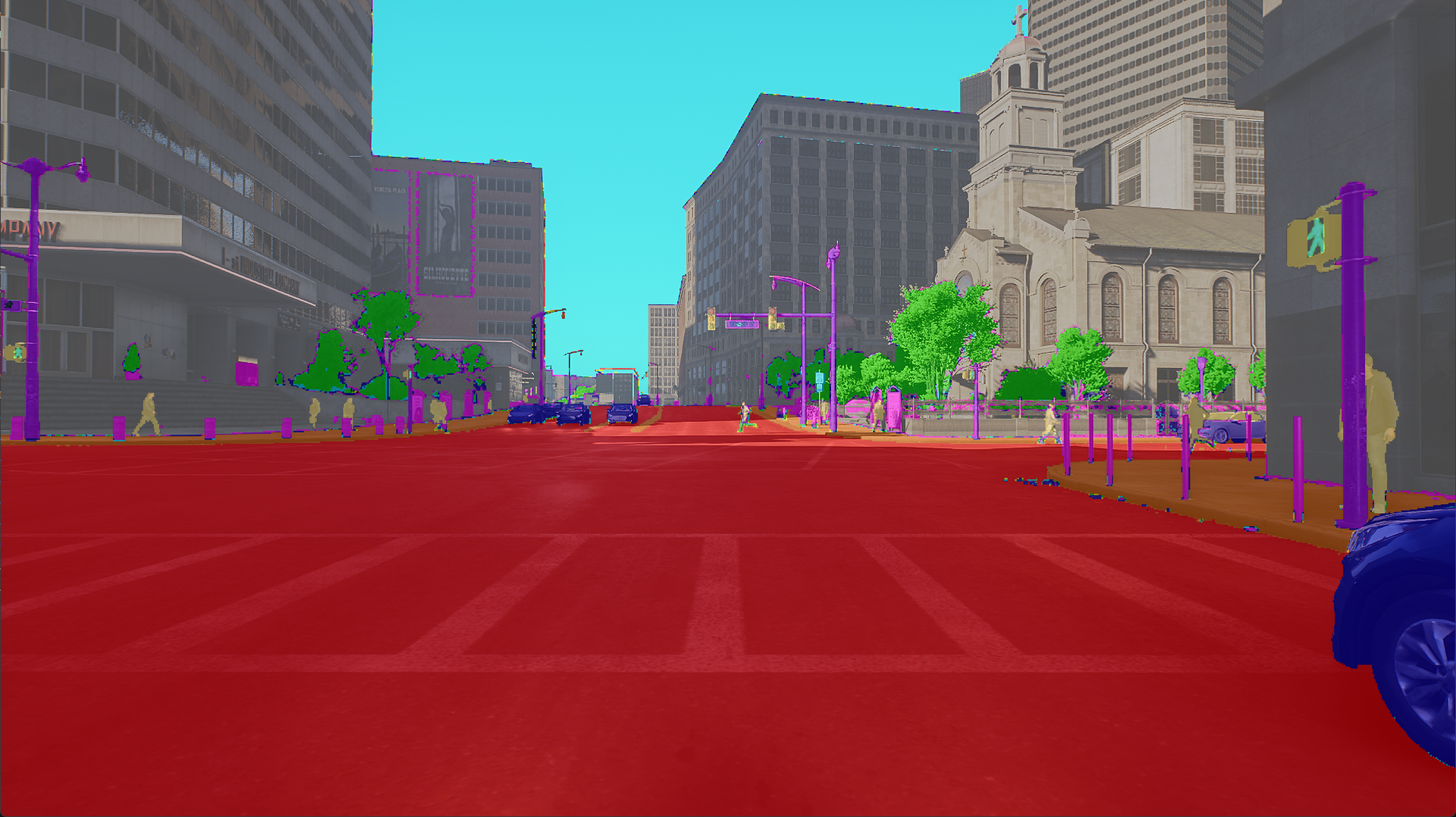
The result is a much cleaner and more scalable way to connect rendered pixels with the actual objects and properties behind them, across simulation, computer vision, CAD, and game workflows.
Sensor Simulation Updates
Sensor simulation in UNIGINE 2.22 gets a major fidelity upgrade across LiDAR, radar, and fisheye cameras, with new samples and models aimed at autonomous driving, robotics, UAVs, and perception-system development.
The new Advanced LiDAR Emulation supports configurable mechanical and solid-state sensors, real surface response, motion distortion, noise, point drop-off, and weather effects such as rain, snow, and fog. Sensor parameters can also be matched to specific real-world LiDAR models.
A new FMCW radar emulation adds physically based target detection with range, velocity, azimuth, elevation, adaptive CFAR detection, noise, signal fluctuation, blind zones, and configurable measurement regions.
Camera simulation has also been extended with the Kannala–Brandt fisheye model, allowing virtual cameras to reproduce calibrated real-world lens intrinsics and distortion more accurately — helping reduce the sim-to-real gap in perception workflows.
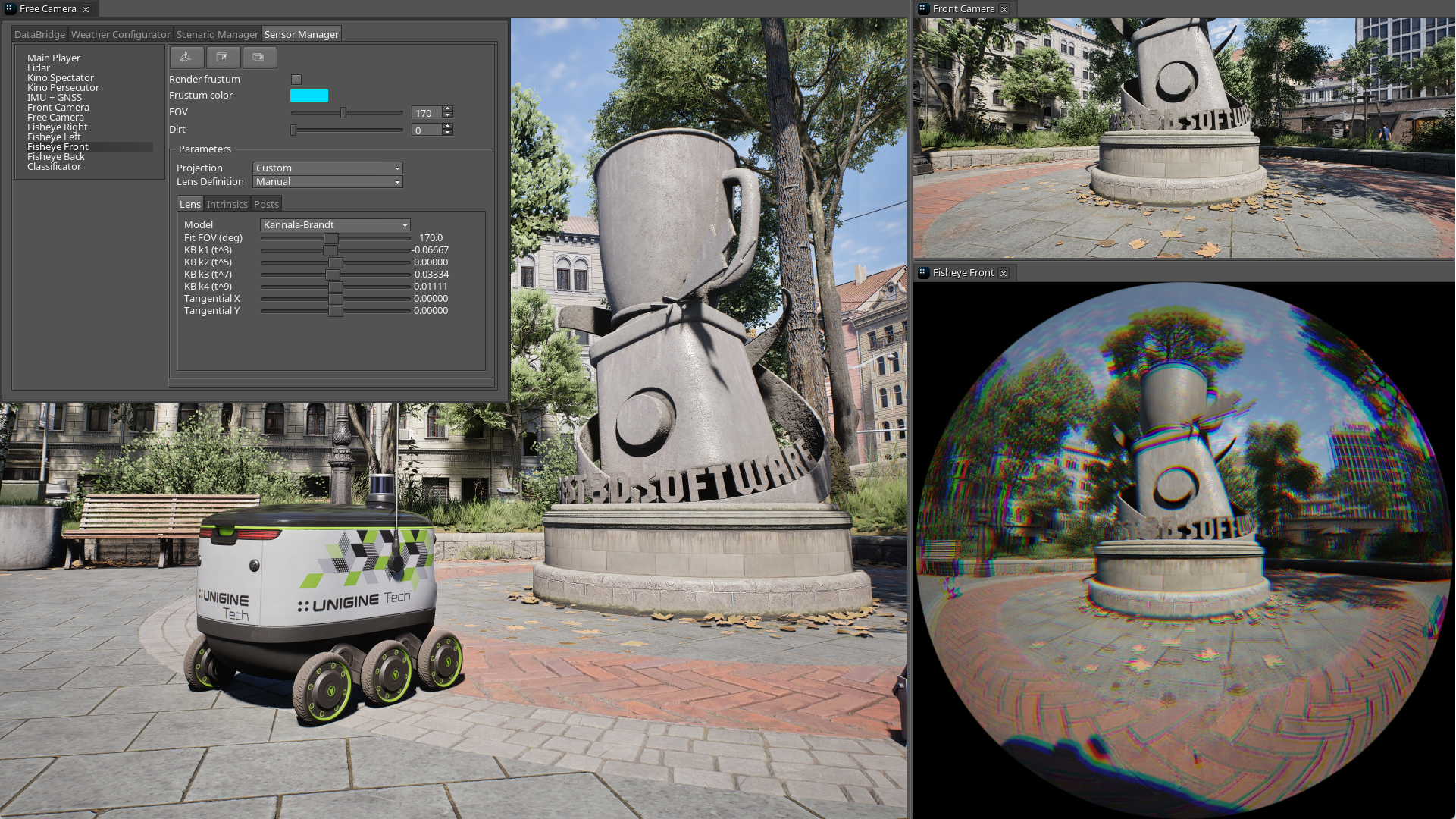
Together, these updates make it easier to build sensor setups that behave much closer to their physical counterparts and use them for training, testing, and validation in simulation.
ArduPilot SITL Integration
UNIGINE’s UAV Template now supports ArduPilot SITL, enabling developers to run the real ArduPilot flight-control stack entirely in simulation — without physical hardware.
UNIGINE handles the airframe physics, environment, and simulated sensor data, while ArduPilot runs the autopilot logic and communicates through the standard MAVLink ecosystem. This means familiar ground-control tools such as Mission Planner, QGroundControl, and MAVProxy can be used just as they would with a real UAV.
The integration supports both multirotor and fixed-wing aircraft, providing a practical environment for autopilot development, mission validation, training, and SIL/HIL workflows using the same control stack intended for the physical vehicle.
Rendering Improvements
Rendering in UNIGINE 2.22 becomes more adaptive, efficient, and visually consistent across demanding real-time applications.
Dynamic Resolution Scaling helps maintain stable frame rates by adjusting internal rendering resolution on the fly, with support for VR, DirectX 12, Vulkan, and modern upscalers. A new reactive mask pipeline further improves upscaling quality for transparency, fine geometry, wires, fences, and other difficult details.
The shadow system has also been significantly refined with up to 16 World Light cascades, a new view-fitted cascade mode, improved PCSS soft shadows, more stable penumbra behavior, and additional tuning controls.
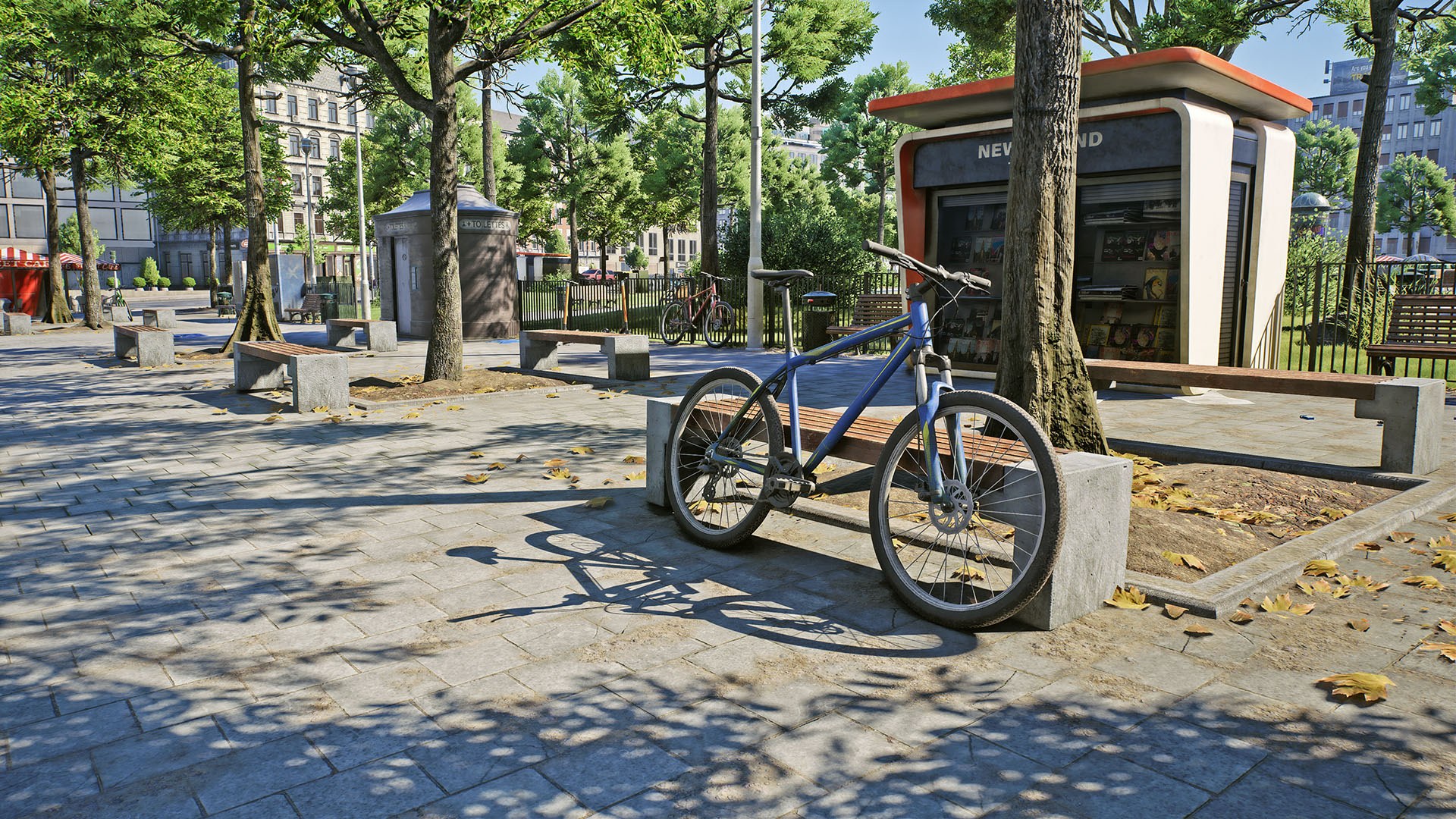
New custom render parameters make it possible to drive global scene effects such as wetness, snow, dust, tint, or roughness directly at runtime — without modifying material assets or triggering shader recompilation.
Water reflections, local contrast, and specular lighting have also received a series of visual and performance improvements, providing more natural results and greater control across a wide range of scenes.
Extended Localization Support
Localization in UNIGINE now covers a much broader range of writing systems, including Arabic, Persian, Urdu, Hebrew, Hindi, Bengali, Tamil, Thai, and Khmer.
The native text pipeline now handles right-to-left and bidirectional text, contextual shaping, combining marks, and character reordering, making it possible to localize interfaces for these languages without custom rendering solutions.
Together, these improvements make it much easier to build and maintain truly multilingual applications using UNIGINE’s native GUI and text tools.
AI Workflow Improvements
AI-assisted development in UNIGINE becomes much more integrated with the new AI Toolkit, combining AI-ready documentation, engine-specific prompts, and direct Editor access in a single project option.
AI agents can now inspect and modify live scenes, create and configure objects, materials and physics, work with project assets and settings, run spatial queries, bake lighting, analyze performance, and verify their own changes through viewport screenshots. The expanded MCP Bridge now exposes 58 tools and connects directly to popular AI-powered IDEs and coding agents.
UNIGINE 2.22 also adds a new Machine Learning Agents demo for reinforcement learning workflows. It supports up to 128 agents training in parallel, multiple observation types, PPO and SAC training, pre-trained ONNX models, curriculum learning, headless training, and an open gRPC interface for integration with external ML frameworks.
Together, these tools make UNIGINE a much more practical environment for both AI-assisted content creation and development of learning-based autonomous agents.
Other Notable Improvements
- Improved 3D Gaussian Splatting support
- New VR Multiplayer project template
- Physics engine improvements
- NoesisGUI integration
- New IG Control Panel for deployment and management of multi-node runtime configurations
- Quality-of-life improvements across the Editor and Sandworm
- New RTSP Streamer plugin for publishing UNIGINE camera output as live H.264 RTSP streams
- New Scenario Manager plugin with lightweight visual scripting for building interactive scenarios
- Expanded collection of C++ and C# samples
- Numerous performance optimizations
For more changes and technical details please see our devlog.